...
Okta
Microsoft Azure AD
Google Workspace (SAML)
Ping Identity
Auth0
- JumpCloud
Any SAML 2.0-compliant IdP
...
Before configuring SAML in OnepacsOnePACS, you will need to configure the application in your SSO Provider based on the following information.
...
OnePACS’ SAML ACS URL:
...
Each Identity Provider now has a unique ACS URL, generated when you create the IdP record in OnePACS. This ACS URL must be used for:
- Single Sign-On URL
- Recipient URL
- Destination URL
- Audience URL
Entity ID: The Entity ID for OnePACS is the same as the ACS URL for that IdP.
📝 OnePACS Setup Requirements
To configure SSO for your organization, you’ll need to do the following:
Log in to OnePACS using your OnePACS admin credentials.
Identity Provider Configuration
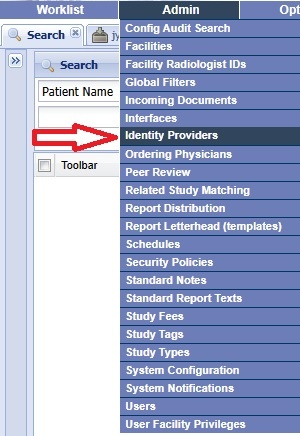
Click on Go to Admin > Identity Providers
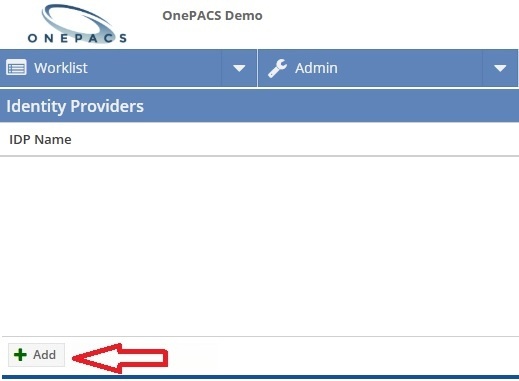
Click Add at the bottom left of the screen.
Configure your Identity Provider in OnePACS with the metadata or information provided by your IdP below.:
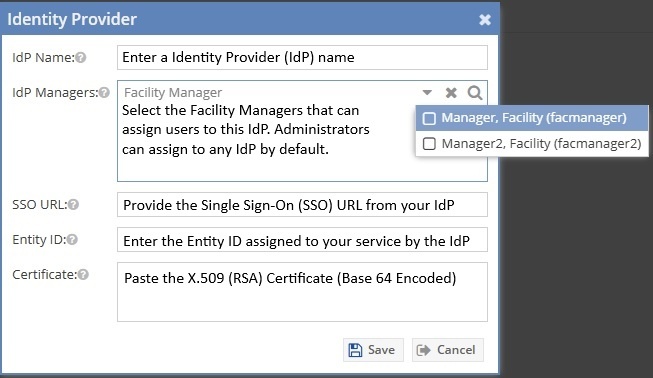
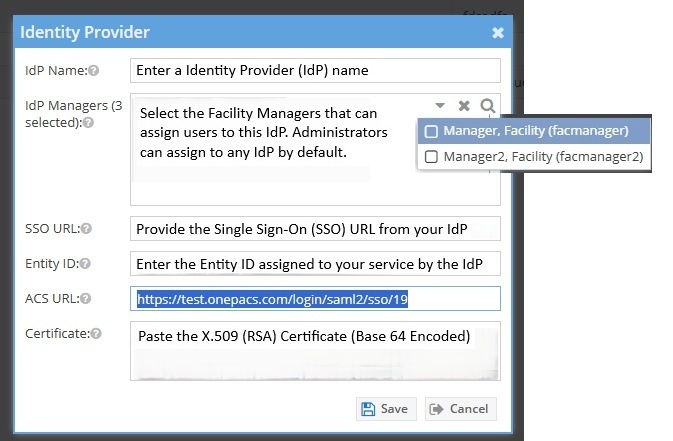
Friendly Name for OnePACS
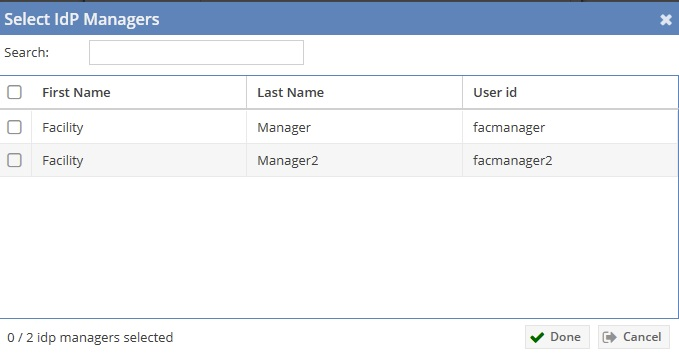
- IdP Managers (Add facility managers by clicking in the IdP managers box, or click the magnifying glass to select multiple facility managers)
- SSO URL from your IdP
- Entity ID from your IdP
- ACS URL
Certificate
Assigning Users to IdPs
Click on Go to Admin > Users
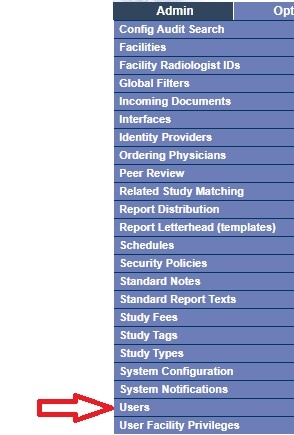
Add or edit an existing user. Expand Identity Providers at the bottom left of the screen. Select the Identity Provider previously configured, along with the IdP username from the IdP server associated with the particular OnePacs user being updated(must match the NameID returned in the SAML response).
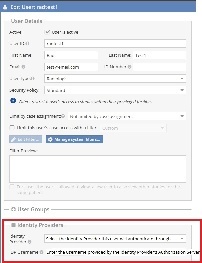 **The IdP username must match the value passed back from this username attribute.
...
Once SSO is configured for your account:
- Navigate to your OnePACS landing page , i(e.eg.,
web.onepacs.com,my.onepacs.com). Enter your OnePACS username
- You will be redirected to your IdP login pageUse your organization’s unique sign-in URL for direct login through your IdP (optional).
- Authenticate using your corporate credentials.
- Upon successful login, you 're are automatically redirected back into to OnePACS.